

Show a Post’s Last Updated Date with a PHP Shortcode
A published tutorial can change after its original date. Readers need a visible last-updated date, but the page template may not include one where you want it.
Register a small shortcode that retrieves the current singular post’s modified date and returns escaped text. Place [wpbn_updated_date] in the post body or a shortcode-capable builder module.
Check the modified date
Open a post or Fix in WordPress and note when it was last updated. The shortcode uses WordPress’s modified date, which changes when the item is edited; it is not a manually verified date.
Create the PHP snippet
Go to Snippets → Add New and choose PHP. Give it a clear name, then paste the complete code below. In Code Snippets, do not add another opening <?php tag.
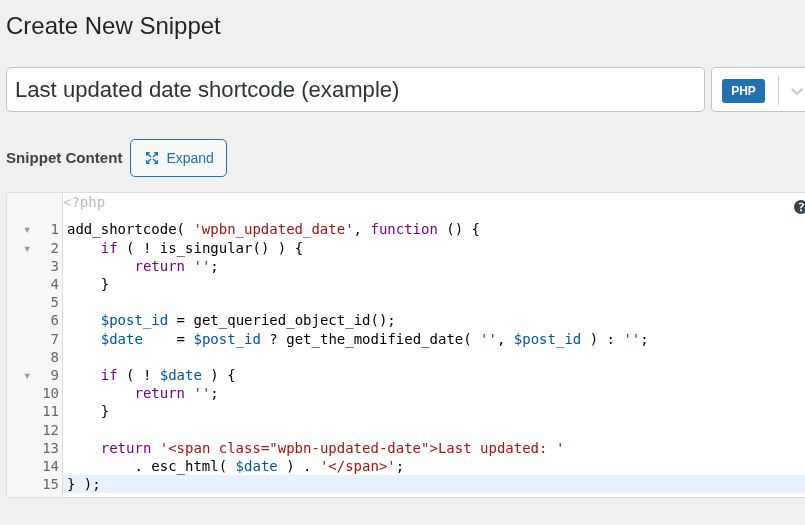
Save and activate
Leave the code set to run everywhere, then save and activate the snippet. The callback checks for a single post, page, or custom post type before returning a date.
Place the shortcode
Add [wpbn_updated_date] to a post or a Shortcode module in your builder. Save the page, then load it on the front end.
Confirm the output
Look for “Last updated:” followed by t