

Make Your Divi 5 Header Stay Visible While Scrolling
A sticky header keeps your main navigation visible as visitors move down the page. In Divi 5, the basic setup can be handled directly with Scroll Effects, so you do not need custom CSS for this fix.
1. Open Your Header in the Theme Builder
Go to WordPress Dashboard → Divi → Theme Builder and edit the header you want to make sticky. For a site-wide header, this will usually be your Global Header.
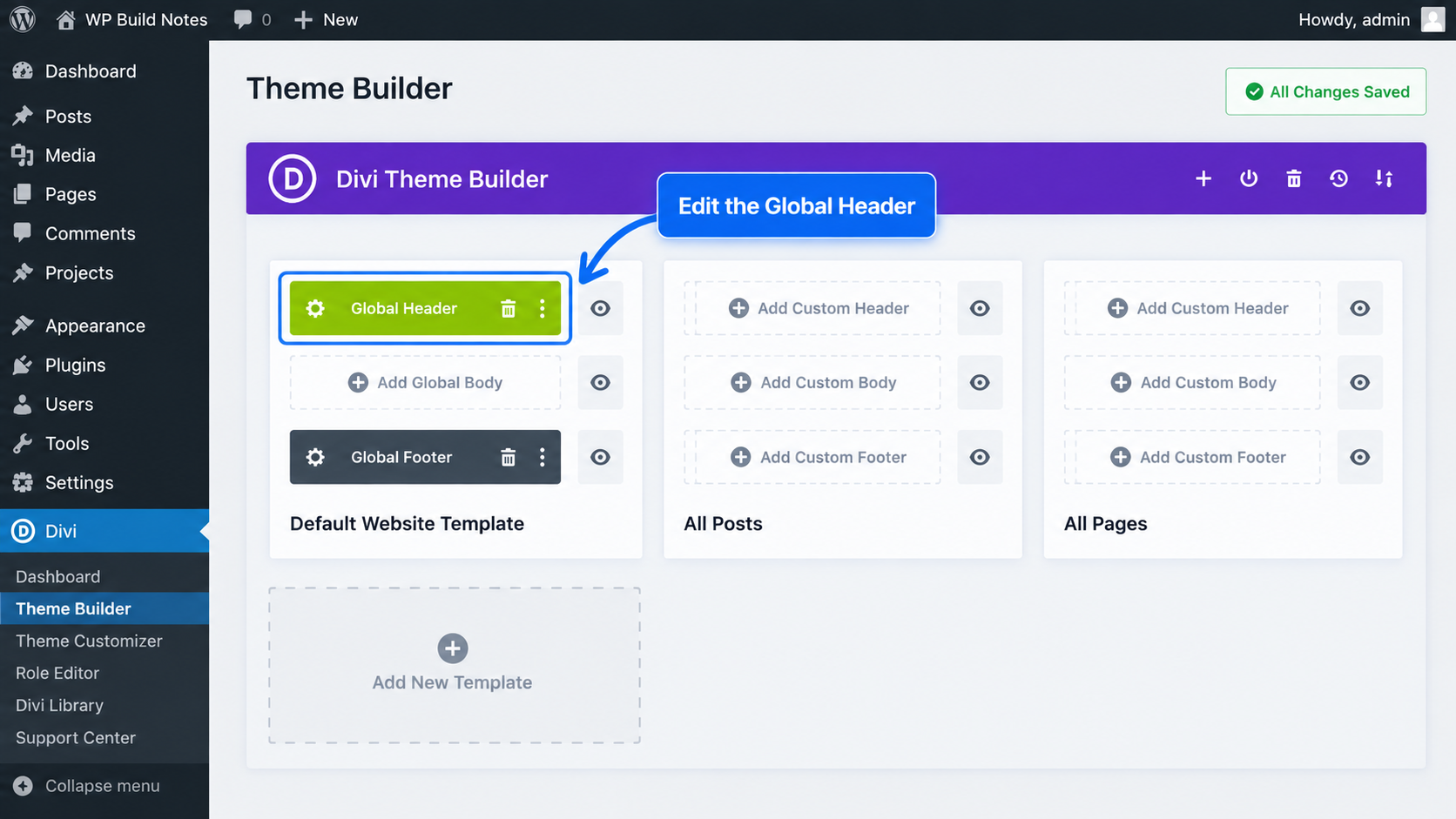
2. Open the Header Section Settings
Open the settings for the Section that contains your entire header. Applying the sticky behavior to the Section keeps the full navigation area together as the page scrolls.
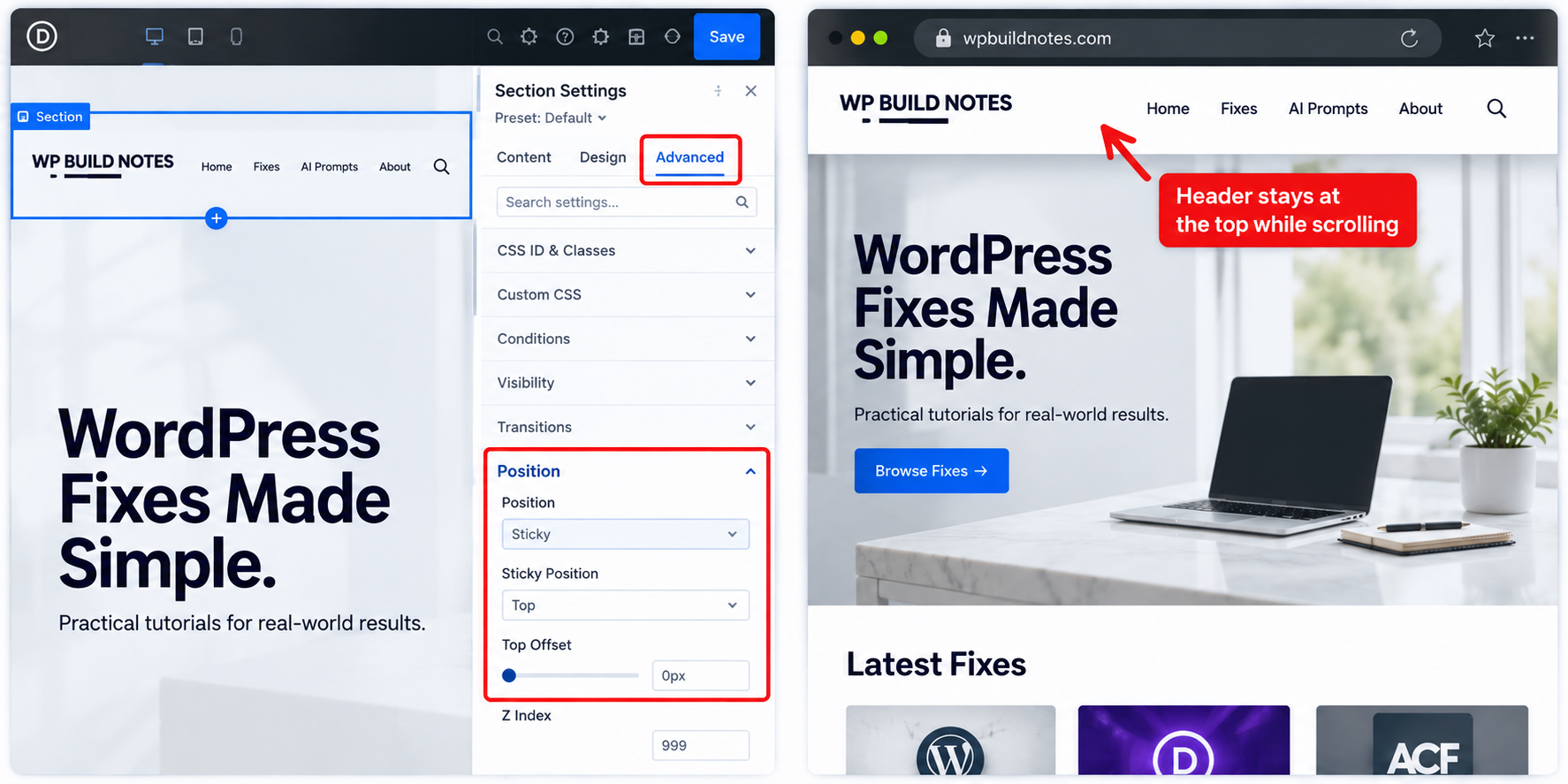
3. Turn On Sticky Position
In the Section settings, go to Advanced → Scroll Effects → Sticky Position and choose Stick to Top.
4. Set the Z-Index
Still in the Section settings, go to Advanced → Position and set the Z Index to 999. This keeps the sticky header above images, sections, and other page content while visitors scroll.
Your header will scroll normally until it reaches the top of the browser window. It will then remain visible while the visitor continues down the page.
Header Goes Behind the Page Content
If the header becomes sticky but disappears behind images, sections, or other elements, check the Header Section’s Z Index and make sure it is higher than the content underneath it.