
The Problem
Filters Work — Until the Browser Back Button Doesn't
A filtered Loop Grid can look perfect while the browser history is broken. The visitor chooses a category, moves to page 2, presses Back, and either loses the filter, lands on the wrong results, or gets a URL that no longer matches the grid. The key is to make filter state, pagination state and browser history agree.
Known-Good Test
What Correct Behavior Looks Like
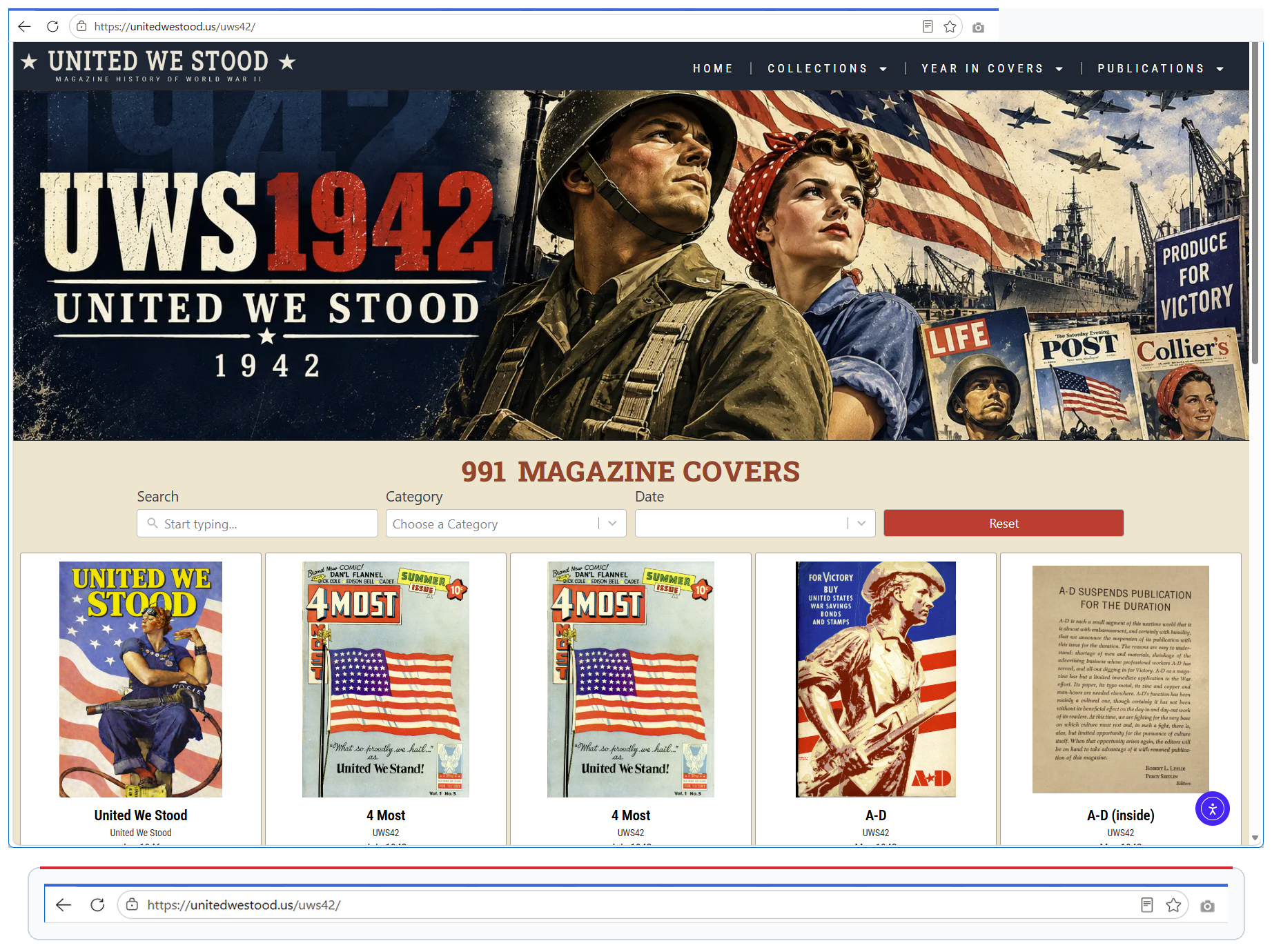
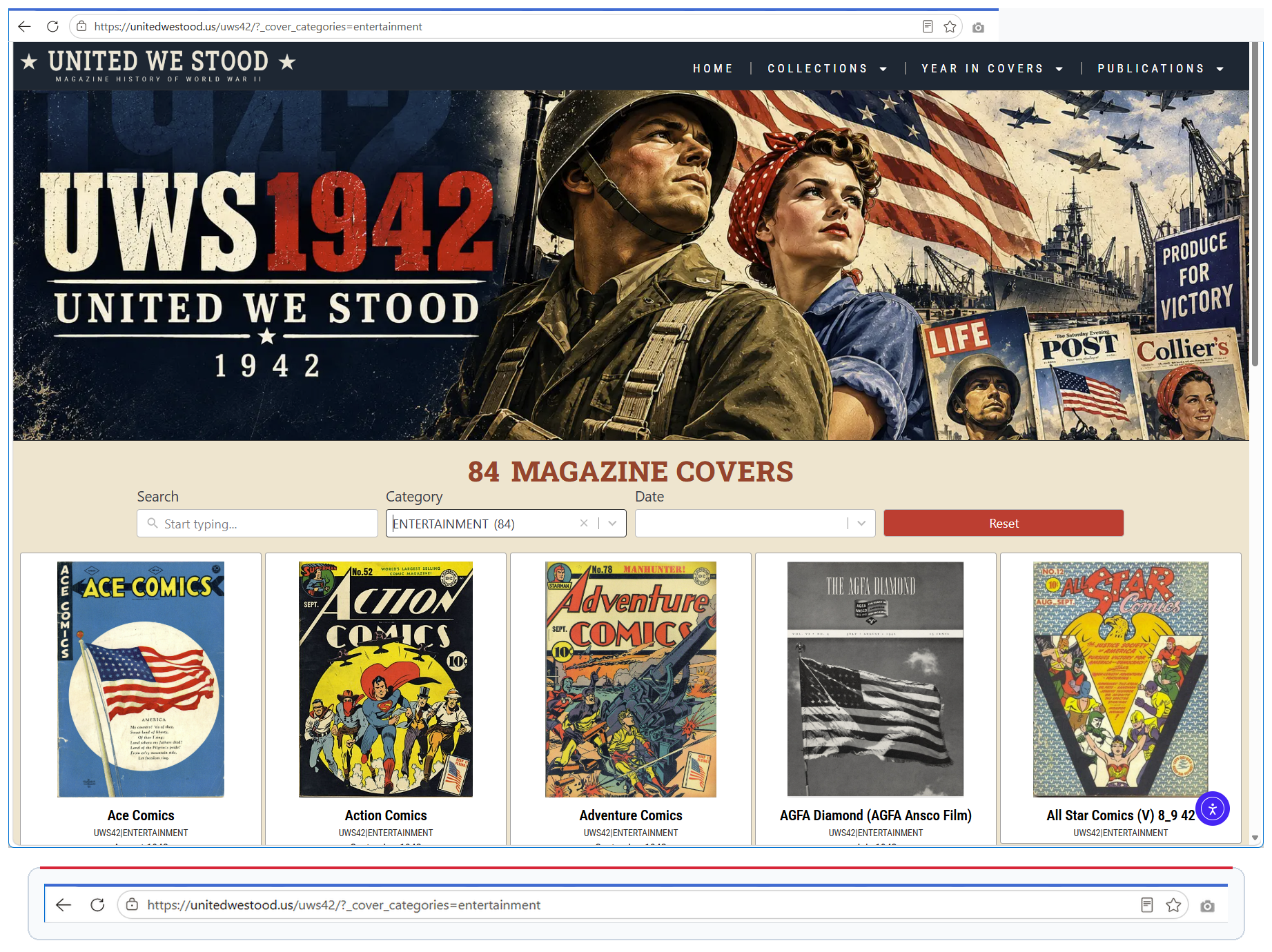
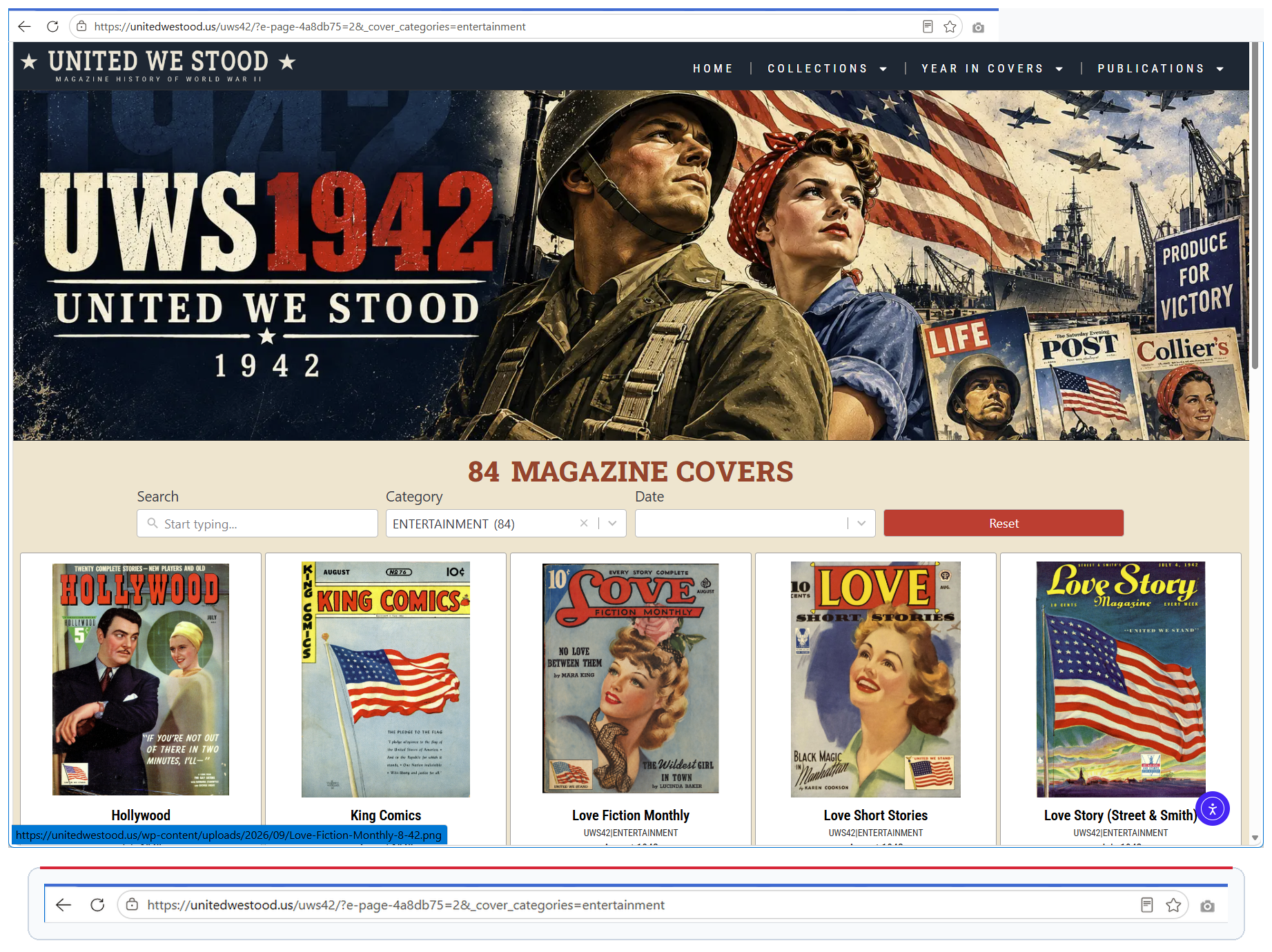
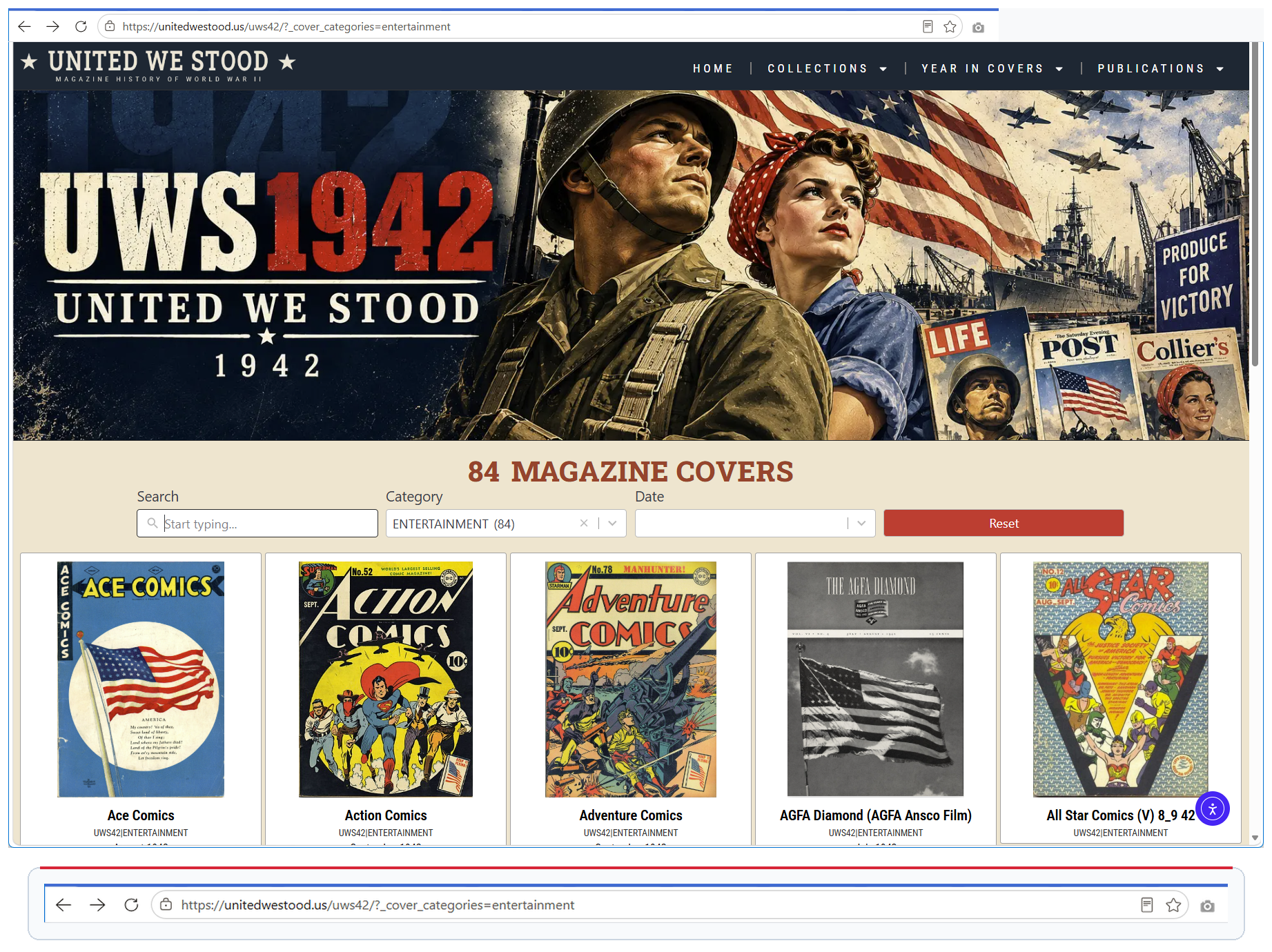
On our working reference page, the unfiltered URL shows 991 covers. Selecting Entertainment changes the URL to ?_cover_categories=entertainment and returns 84 covers. Moving to page 2 adds Elementor's pagination parameter while preserving the category. One browser Back click removes only the page parameter and correctly restores Entertainment page 1. That is the behavior you're trying to reproduce.
Step 1
Find Out Who Actually Owns the Query
Do not assume Elementor owns the query just because Elementor renders the Loop Grid. In the working configuration, Loop Grid → Query → Source is set to Search & Filter Query, with the specific query UWS42 Page. That means Search & Filter defines the result set and Elementor displays it.