
The Problem
Make Elementor Loop Grid Cards Equal Height
When Loop Grid cards contain different amounts of text, the bottoms can land at different heights. Elementor Pro includes a built-in Equal Height control that can line the cards up without custom CSS.
The Fix
1. Select the Loop Grid widget
Open the page in Elementor and select the Loop Grid widget you want to fix.
If it is difficult to select on the canvas, use Elementor’s Structure panel to select the Loop Grid directly.
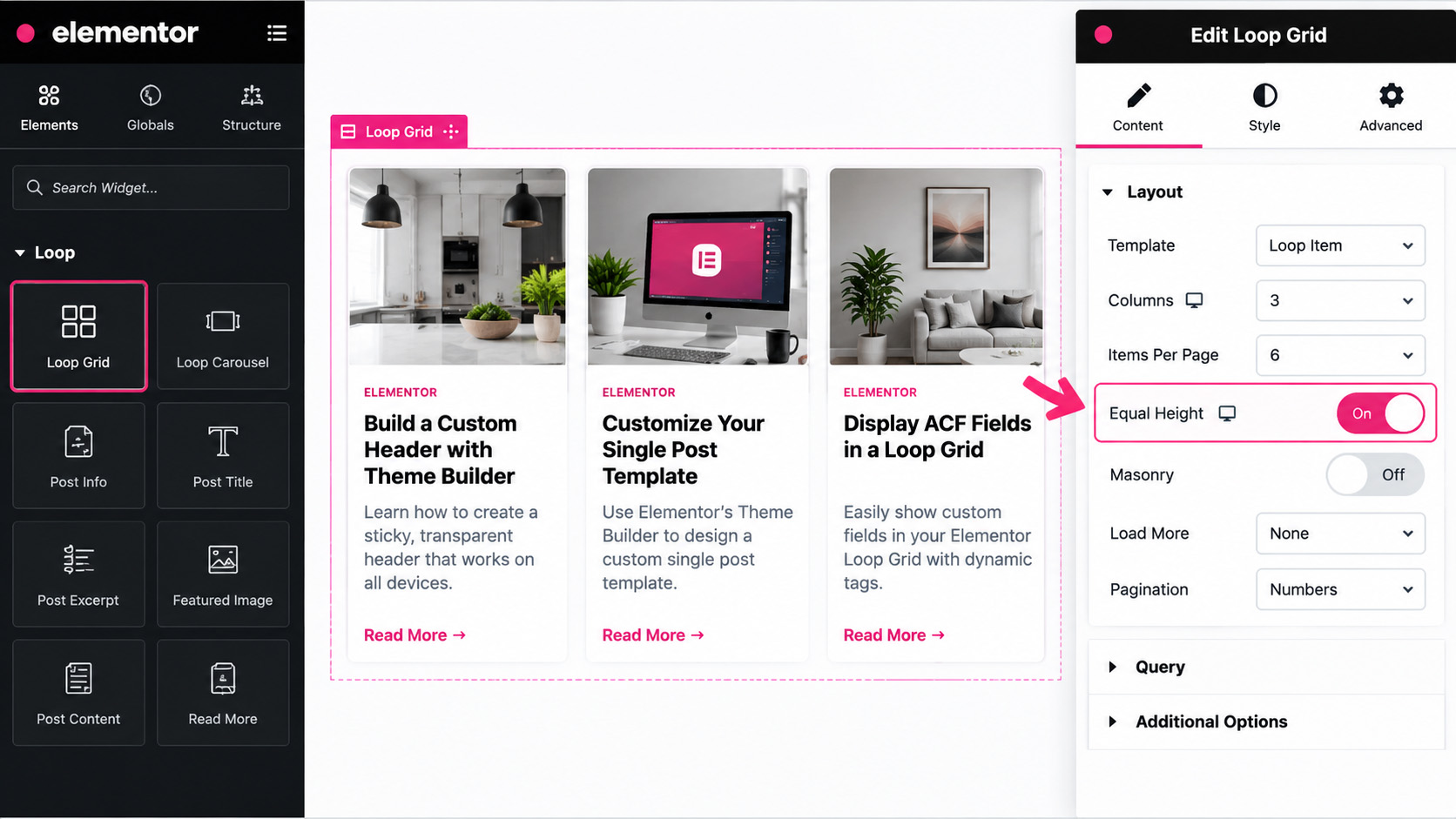
2. Open Content → Layout
With the Loop Grid selected, open the Content tab and go to the Layout settings.
3. Turn Equal Height on
Find Equal Height and switch it On. Elementor will make the Loop Grid items in each row use the same height.
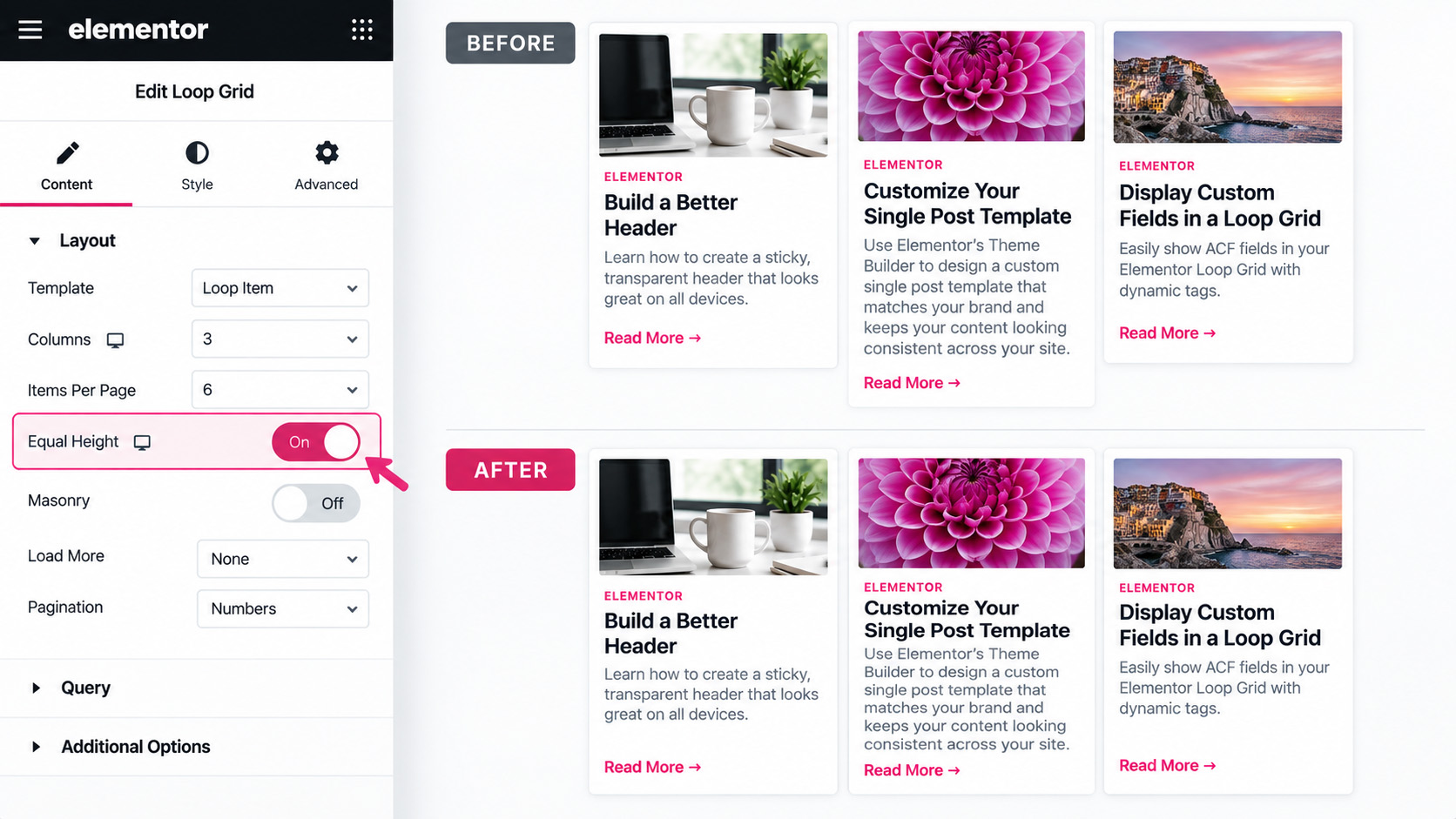
4. Update and check the front end
Click Update and view the page on the front end. Cards with shorter titles or excerpts should now line up cleanly with taller cards in the same row.
Quick Summary
Loop Grid → Content → Layout → Equal Height → On. Update the page and check the grid on the front end.
One Thing to Watch
Equal Height works on the Loop Grid items themselves. If something inside the Loop Item template still looks misaligned, check the internal container layout, spacing and widget margins inside that Loop Item.
More WP Build Notes