

The Problem
Display an ACF Field Anywhere You Need It
The value already exists in Advanced Custom Fields, but the place where you want to display it only accepts a shortcode. A small reusable shortcode lets you output simple ACF field values without rebuilding the template.
The Fix
1. Add the PHP snippet
Add this with the Code Snippets plugin or a child theme. In Code Snippets, omit the opening PHP tag.
function wpbn_acf_field_shortcode( $atts ) {
    $atts = shortcode_atts(
        array(
            'name'    => '',
            'post_id' => '',
            'before'  => '',
            'after'   => '',
        ),
        $atts,
        'acf_field'
    );

    if ( empty( $atts['name'] ) || ! function_exists( 'get_field' ) ) {
        return '';
    }

    $field_name = sanitize_key( $atts['name'] );
    $post_id = $atts['post_id'] !== ''
        ? sanitize_text_field( $atts['post_id'] )
        : get_the_ID();

    $value = get_field( $field_name, $post_id );

    if ( is_array( $value ) || is_object( $value ) ) {
        return '';
    }

    if ( $value === '' || $value === null || $value === false ) {
        return '';
    }

    return wp_kses_post( $atts['before'] )
        . esc_html( (string) $value )
        . wp_kses_post( $atts['after'] );
}
add_shortcode( 'acf_field', 'wpbn_acf_field_shortcode' );
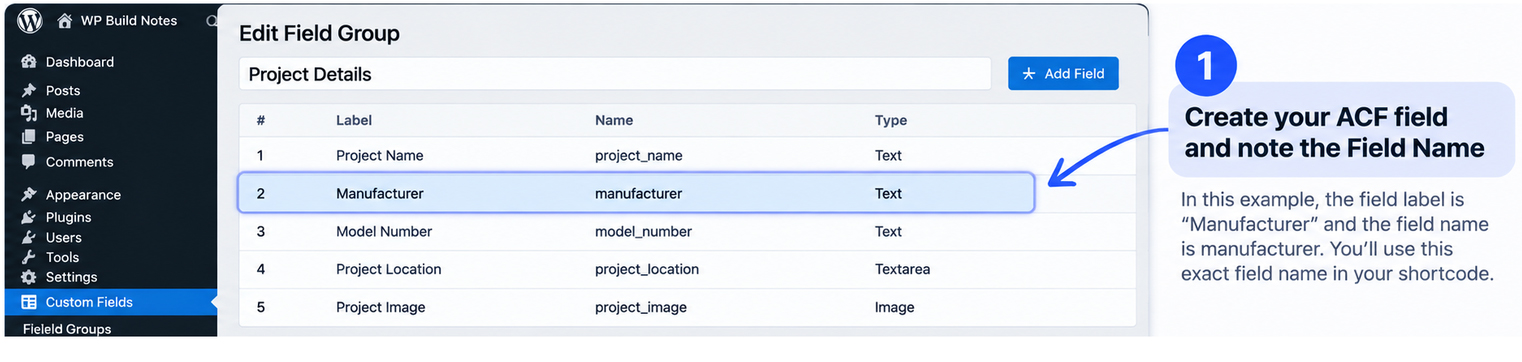
2. Use the ACF Field Name
Use the field’s Field Name, not its label. Example:
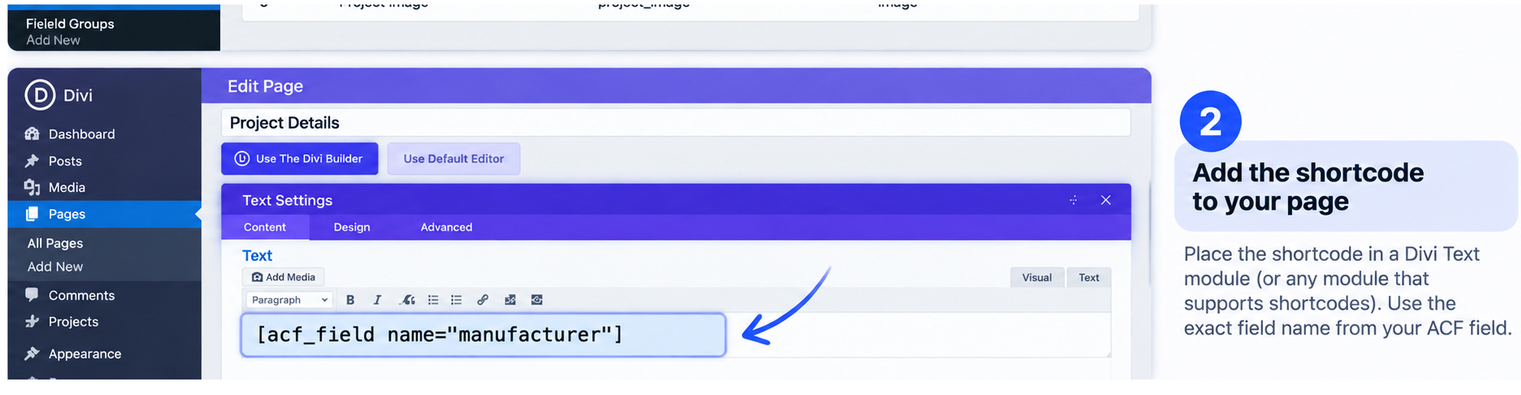
[acf_field name="manufacturer"]
3. Place it where shortcodes are processed
Paste the shortcode into a Shortcode block/module or another WordPress area that runs shortcodes. On a single post or CPT entry, it automatically reads from the current post.
4. Optional: target another post
Add a post ID when you need the value from a specific post:
[acf_field name="manufacturer" post_id="123"]
5. Optional: add text before or after
The snippet also accepts safe before/after output:
[acf_field name="manufacturer" before="Brand: <strong>" after="</strong>"]
This version is intentionally for simple single-value fields. Repeater, Gallery, Relationship and Image fields need their own output logic.