
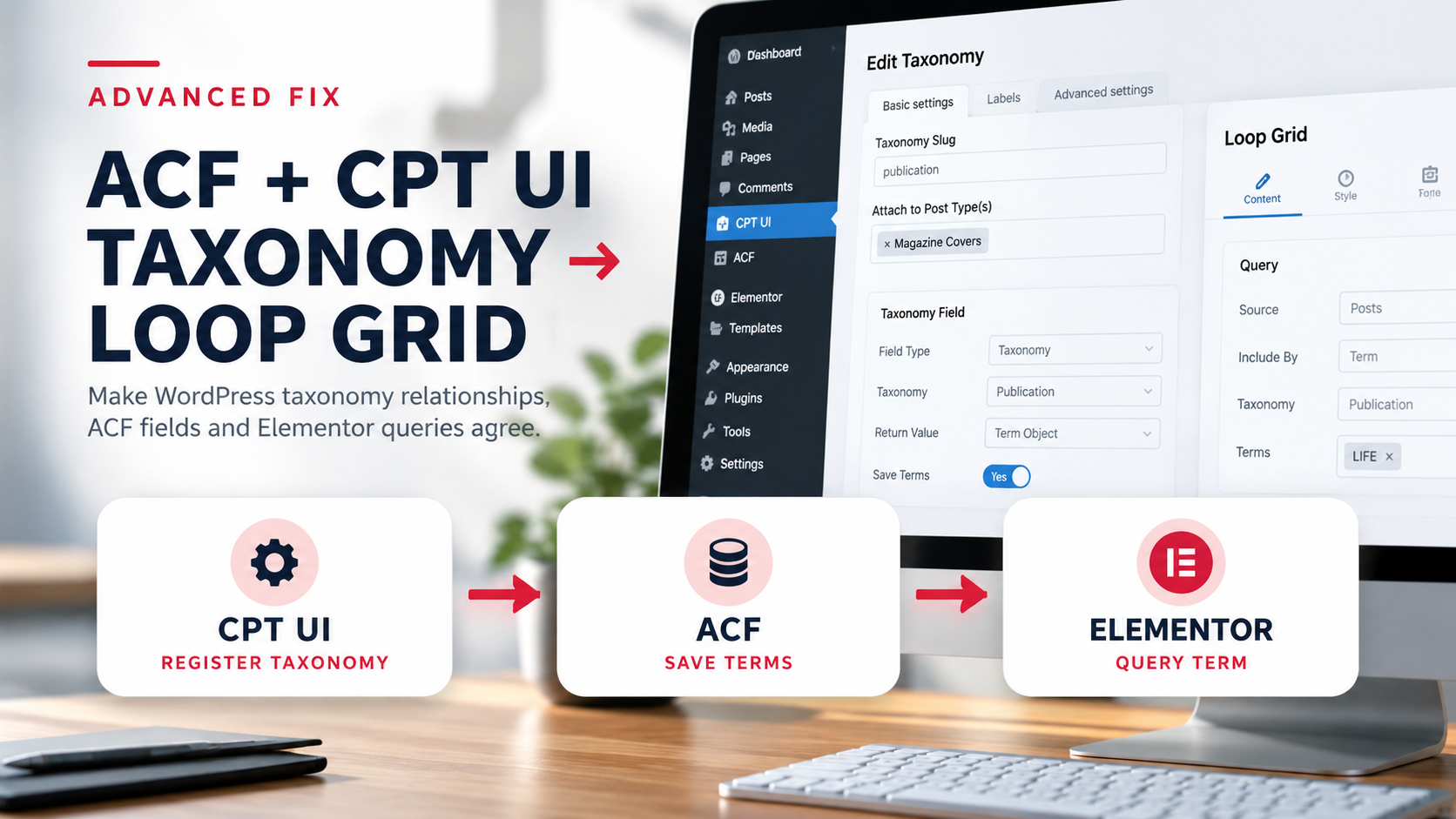
The Problem
A Publication Term and ACF Data Serve Different Jobs
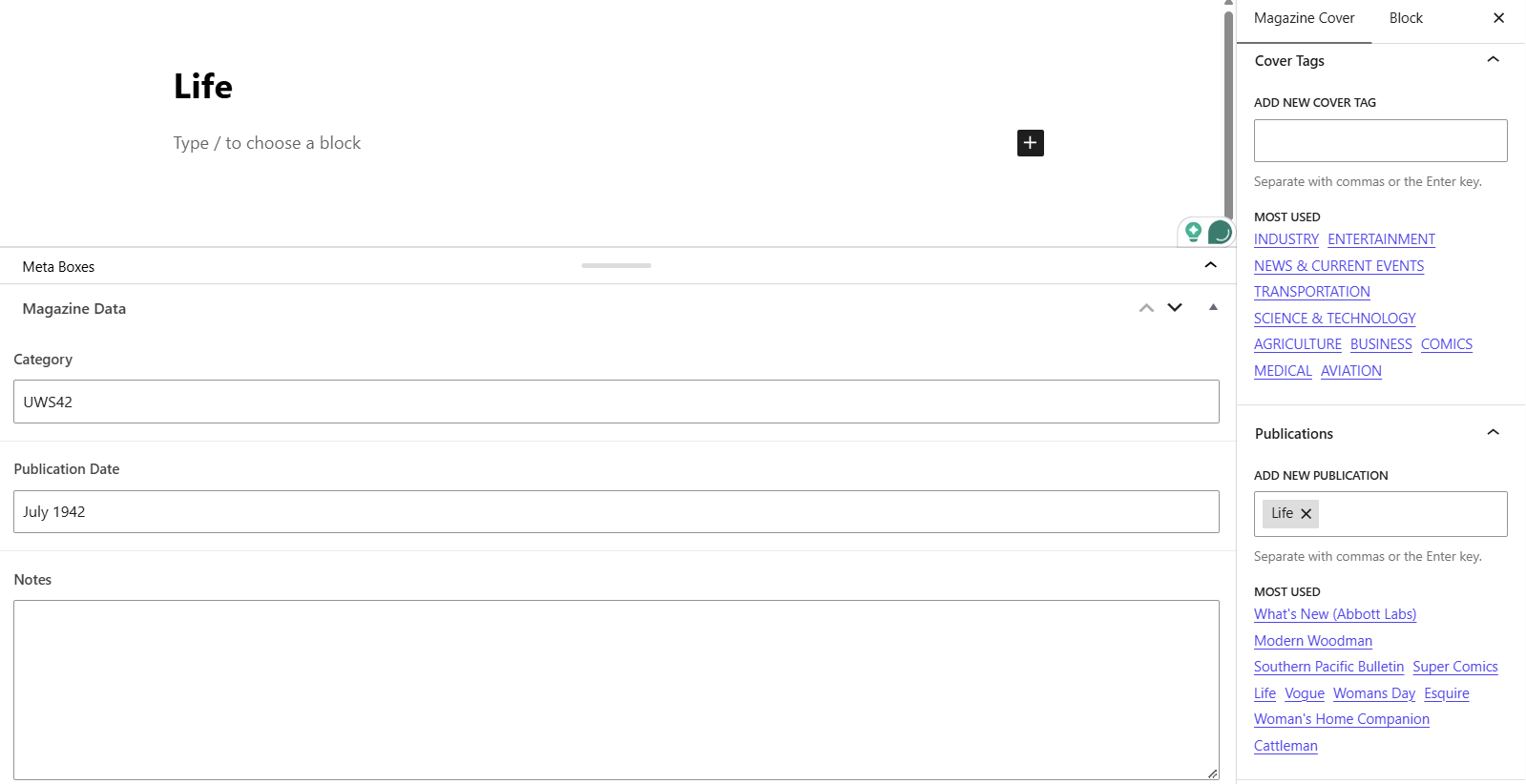
United We Stood stores magazine details in ACF and groups covers with a native WordPress Publication taxonomy. The screenshots show a Life term assigned to a Magazine Cover, while Category, Publication Date, Notes, and Year are separate ACF fields. To troubleshoot an archive or Loop Grid, trace the registered taxonomy, the post’s term assignment, and the query source.
Step 1
Verify Publication Is Registered for Magazine Covers
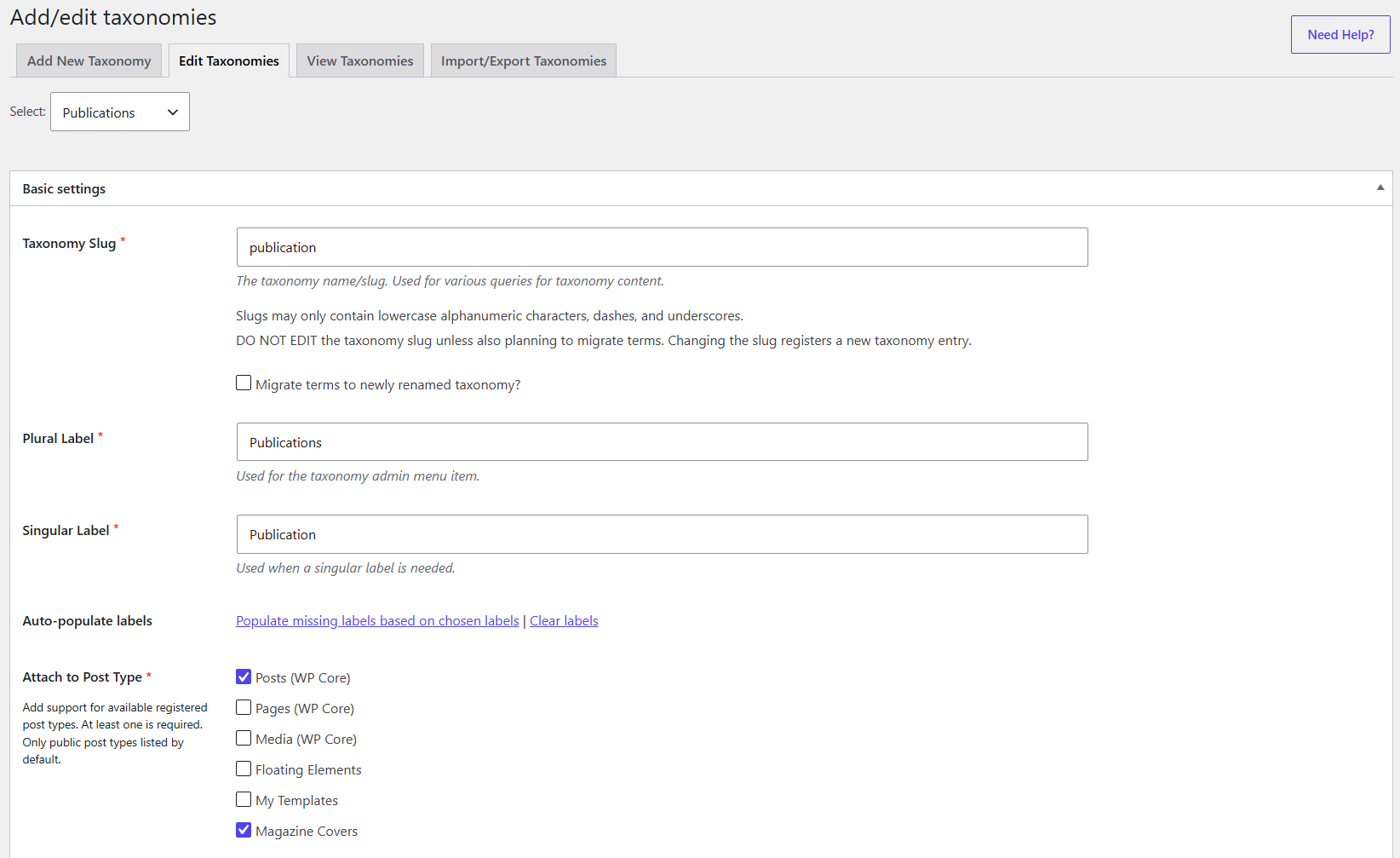
In CPT UI → Add/edit taxonomies, the Publications taxonomy has slug publication and is attached to the Magazine Covers post type. Posts are also checked in the supplied screen. Confirm the post type and slug before checking any archive query.
Step 2
Assign the Publication on the Magazine Cover
Open a Magazine Cover and select its real Publications term in the post editor. In the United We Stood example, the cover titled Life has the Life term selected. Its ACF Category value is UWS42, Publication Date is July 1942, and Year is 1942. Those ACF fields describe the cover; the native Publications assignment classifies it.
Step 3
Read the Magazine Data Fields as Post Metadata
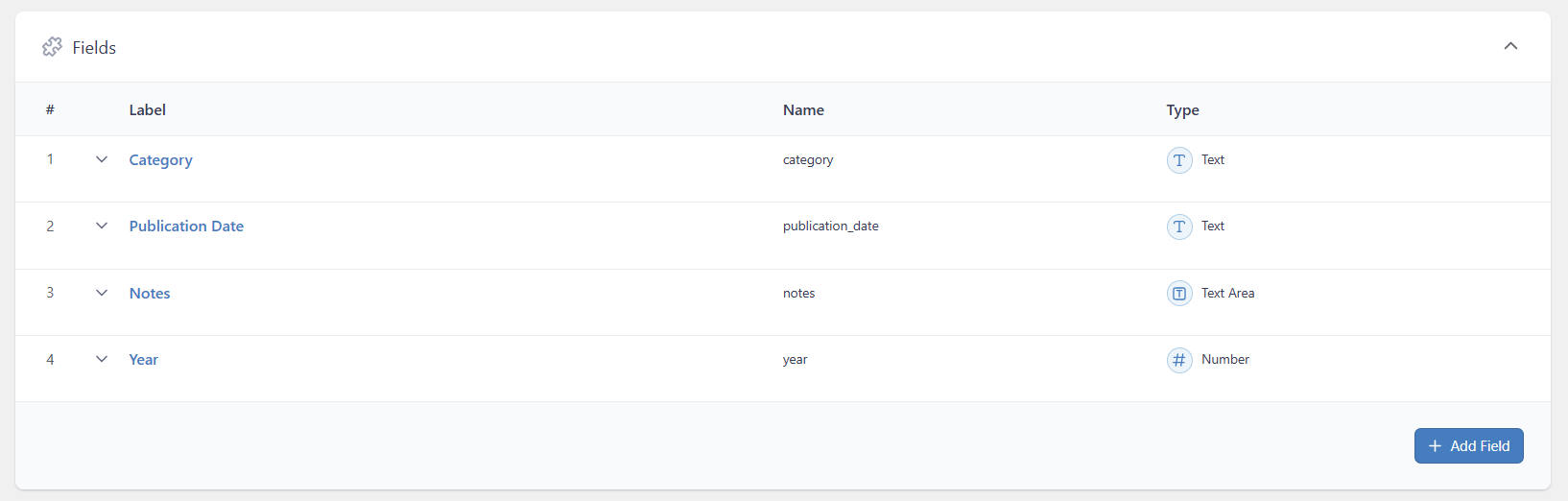
The Magazine Data ACF group appears on Magazine Covers. Its four fields are Category (Text), Publication Date (Text), Notes (Text Area), and Year (Number). There is no ACF Taxonomy field in this group, so a Save Terms or Load Terms setting is not part of this observed setup. Do not treat Category or Publication Date text as a Publication term.
Step 4
Keep the Publication Archive Hero Fields on the Term
The separate Publication Archive Hero